
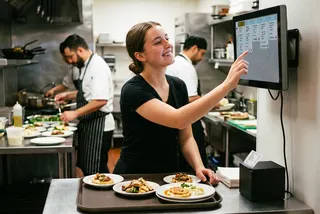
Kitchen Display – the direct link between the kitchen and front-of-house
When your restaurant is buzzing, one thing matters most: that every order gets through – complete, in the right order, and without anything slipping through the cracks.
Our Kitchen Display shows orders directly from your orderbird POS system, clearly organised for your kitchen team. No lost tickets, no missed orders, and no more shouting across the kitchen.
Why your restaurant will love the Kitchen Display
A lost ticket, a missed order – when things get busy, that's all it takes to throw your kitchen into chaos. The orderbird Kitchen Display puts an end to that:
-
Stay on top of every order: All orders are displayed digitally, in the right sequence – so nothing gets missed.
-
Less back-and-forth: Your front-of-house and kitchen teams stay on the same page.
-
Smarter workflows: New orders go straight to the right station – automatically.
-
Stay ahead of delays: If an order is taking too long, your team knows right away.
-
Never miss a cancellation: Sound alerts and clear visual highlights keep your team informed – no more cancellations buried in paper tickets.
-
Keep orders coming: If the screen goes down, orders automatically switch to your receipt printer – so your kitchen keeps running.
The Kitchen Display keeps things running smoothly, even during your busiest shifts – whether you're juggling terrace tables, indoor dining, and takeaway orders all at once.
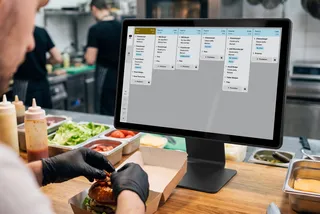
How the Kitchen Display works with your POS system
The Kitchen Display connects directly to your orderbird POS system. As soon as an order is placed, it pops up in the kitchen – so your team knows exactly what to prepare.
-
Orders go straight to the kitchen – digitally.
-
Automatically sent to the right station (grill, bar, or cold kitchen).
-
Mark it as ready – a pickup ticket prints automatically.
-
Screen goes down? Your receipt printer takes over automatically.
Make your workflow even smoother with mobile ordering. When your front-of-house team takes orders right at the table using an iPhone, they go straight to the Kitchen Display – no detour via the counter. That means less waiting and a faster flow from order to preparation.
Is a Kitchen Display right for your restaurant?
A Kitchen Display is especially useful for busy restaurants where orders come in all at once and multiple team members need to work together seamlessly.
Type of business | Why it's a great fit |
|---|---|
Restaurants | Lots of tables, orders coming in at the same time, multiple courses, and plenty of coordination between teams. |
Cafés serving food | Keep track of breakfast, lunch, and special requests with ease – even during the busiest rushes. |
Restaurants with outdoor seating | Orders from indoor and outdoor areas all appear in one place on the Kitchen Display – so your team stays on top of everything. |
Bars serving food | Keep snacks, meals, and drink orders organised with smoother workflows for each station. |
Growing teams | Help new team members get up to speed faster and find their feet in the daily workflow. |
orderbird Kitchen Display Pricing – from €29.90 per Screen/Month
The orderbird Kitchen Display is available as an add-on for orderbird PRO packages S, M, and L. You pay a monthly fee for each active screen. Already have a compatible device? Great, you can use your own! Or get the right hardware directly from orderbird.
-
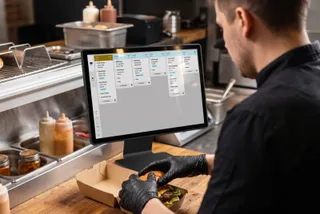
Noryox (15-inch)
one-time payment
€299
- •
Stand included
- •
Ideal for standard kitchens and bars
- •
-
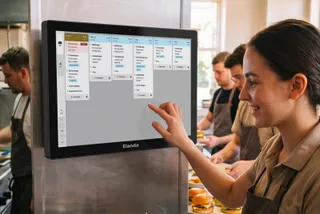
Elanda (22-inch)
one-time payment
€1,199
- •
IP65-certified*
- •
Built for demanding, humid, and high-traffic kitchens
*IP65 : Dust-tight and water-resistant
- •
-
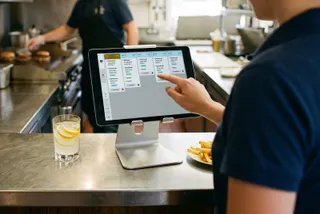
Want to use your own device?
You can run our software on compatible tablets with a screen size of 10.1 inches or larger, running iOS 16+ or Android 13+. This includes devices like the Lenovo Tab, Lenovo Tab+, Samsung Galaxy Tab S10 FE+, and Apple iPad.
from €29.90
The right setup for your business depends on how your kitchen works. Is one screen showing all orders enough? Or would you rather have separate screens for different stations, like the bar and kitchen? No problem – you can do that too.

Discover the Kitchen Display for your restaurant
Keep your kitchen running smoothly, even during the busiest periods, with the orderbird kitchen display system.
- •
Orders go digital – straight to the right station, automatically.
- •
Less paper, less back-and-forth, more organised workflows.
- •
Works seamlessly with your POS system – no extra hassle.
More than 17,000 hospitality businesses already trust orderbird PRO. Less hassle, more control – and a kitchen team that can finally catch its breath.
Frequently asked questions about the Kitchen Display
How much does the orderbird Kitchen Display cost?
The orderbird Kitchen Display is available as an add-on for €29.90 per month, per screen, with any pricing plan. You'll also need a compatible device. We currently offer two options: the Noryox NB156S (15", €299) and the Elanda KD22 (22", €1,199). Alternatively, you can use your own compatible tablet, depending on your setup.
Which types of restaurants benefit from a Kitchen Display?
A Kitchen Display is especially useful for restaurants and cafés serving food, where lots of orders need to be handled at the same time.
How does a Kitchen Display work with your POS system?
Your POS system takes the order and automatically sends it to the right Kitchen Display based on your product categories. Your kitchen team sees all the important order details at a glance – including timers and allergen information.
What happens if the Kitchen Display goes offline?
Orders already on the screen stay visible. New orders are automatically sent to your connected receipt printer, so nothing gets lost in the kitchen.
Can I use my own tablet?
Yes! You can also use the Kitchen Display on your own iPad or Android tablet (at least 10.1" with Wi-Fi). We recommend using a protective case to keep your device safe in the kitchen. Please note that the orderbird hardware warranty doesn't cover your own devices.
What's the difference between a Kitchen Monitor, Kitchen Display, and KDS?
Kitchen Monitor and Kitchen Display usually refer to the screen used in the kitchen. KDS stands for Kitchen Display System – the digital solution that sends orders from your POS system straight to the kitchen. At orderbird, we simply call it the Kitchen Display.